
Share your experience with the founderhere!

Nishil Patel
Sep 7, 2026
5 min read
Last Updated Sep 7, 2026

Check out the easy steps to create GitLab issues in 2026 using the BetterBugs.io tool. Learn more on how BetterBugs.io can help automate the repetitive and tedious work involved in creating actionable and dev-friendly while raising GitLab issues.
1.
What are GitLab Issues?
2.
How BetterBugs.io Helps — Free Chrome Extension to Raise GitLab Issues
3.
How to Create GitLab Issues: Easy Steps using BetterBugs.io
4.
FAQs
GitLab uses issues as the primary tracking mechanism within its repositories. You can use them to report bugs, discuss issues, assign tasks, and map the work onto visual issue boards and time-bound milestones or agile boards.
You can use GitHub issues for various purposes in in your day-to-day development and testing workflows for your GitLab projects, such as:
Each issue contains details like title, description, assignees, due dates, and labels that you can use to prioritize and organize work stuff. Issues can be linked to code changes, creating a clear connection between discussions and actual dev work.
The visual issue boards in GitLab lets you track progress using methods like Kanban, where issues move through different stages from "To Do" to "In Progress" to "Done". This gives everyone a clear view of project status.
Also Read: How to Create Bug Reports in GitHub Issues: Easy Steps
BetterBugs.io enables you to create developer friendly and context-rich bug reports that you can instantly share to your GitLab repos — right from your browser.
You can also integrate BetterBugs with your preferred project tools and issue trackers, such as Jira, Asana, GitHub, Trello and many others)
Also Read: Quality Assurance vs Quality Control: What’s the difference
BetterBugs a lightweight and snappy free Chrome extension. All you need is to take a screenshot or record the screen of the issue using the extension. It automatically captures the error logs and other technical details of the issue (environment details, network requests, page navigation steps, cookies/app state details).
You can add the issue details (Bug title + Summary + Issue repro steps) manually or using AI. BetterBugs auto-bundles the complete info (visual proof, technical, and other details) as a comprehensive bug report that you can instantly share to others or to GitLab in a few clicks.
You also’ve the “Rewind” option to get the last 2-minute video recording of all your browser activities — perfect for getting screen recording of intermittent issues or issues that just happened — without hitting the screen recording proactively.
Here’s a quick preview of the GitLab issue created using BetterBugs.io within minutes.
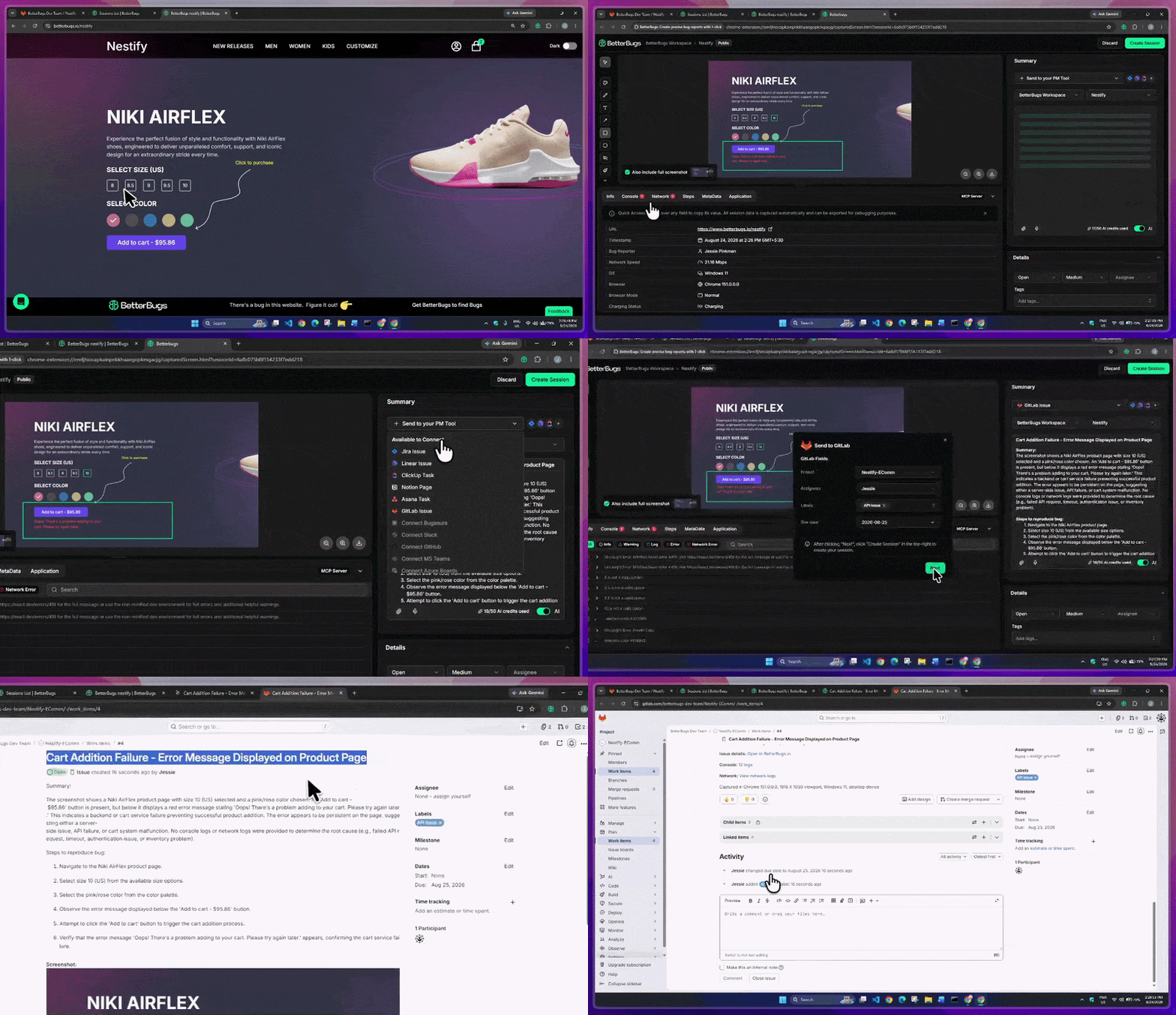
GitLab Issue Raised using BetterBugs within Minutes and in Few Clicks
For debugging the issue, you can:
Use the visual proof of the issue + steps to reproduce + auto-attached technical details available with every bug report you create.
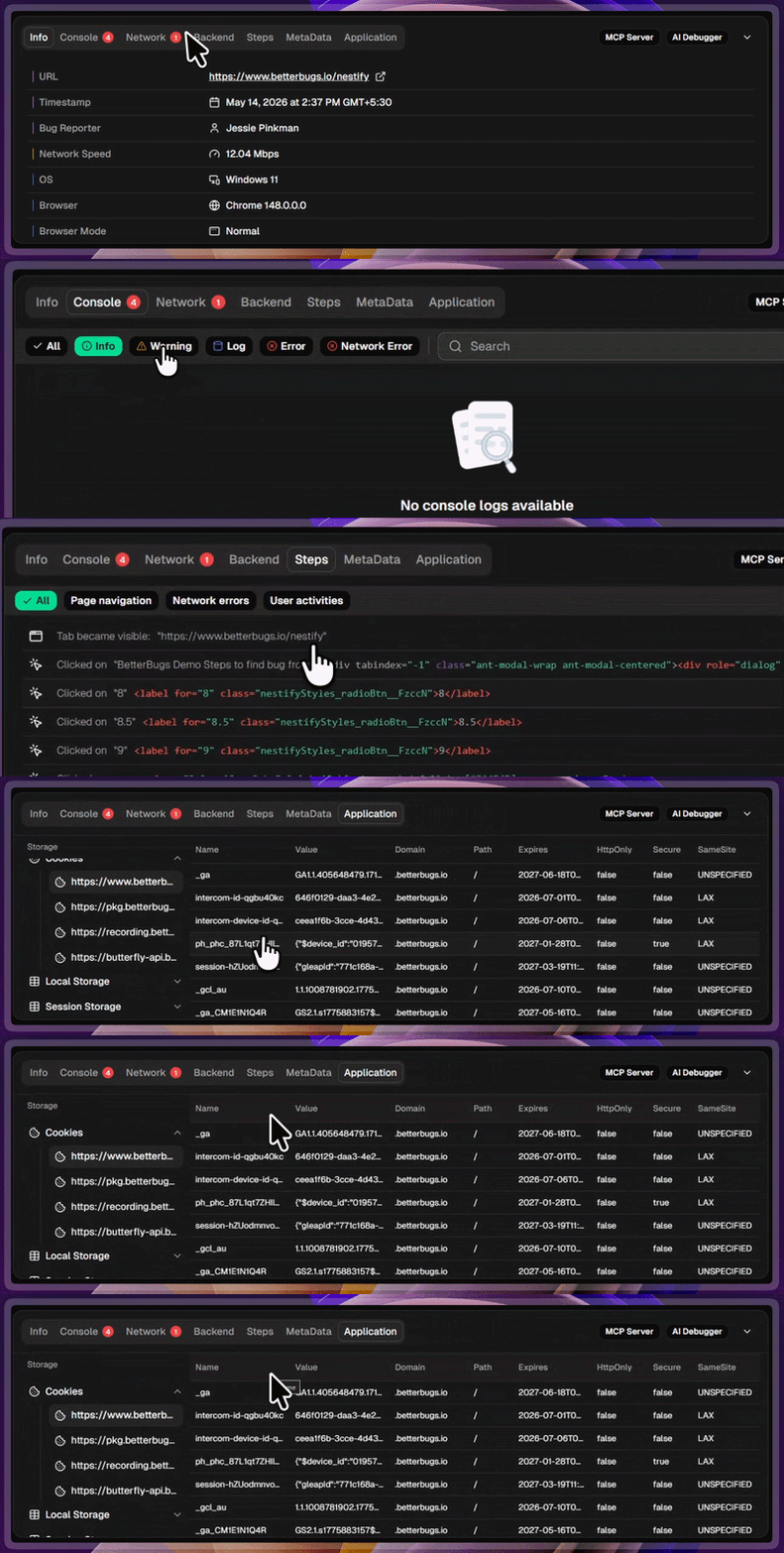
Auto-Attached Technical Details of the Issue with Every Bug Report
You’ve the chat-style AI Debugger (for BetterBugs reports) that gives you the root cause analysis of issues, possible solutions, test cases, and more. This enables devs to debug the issue way faster than just using the manual debugging methods.
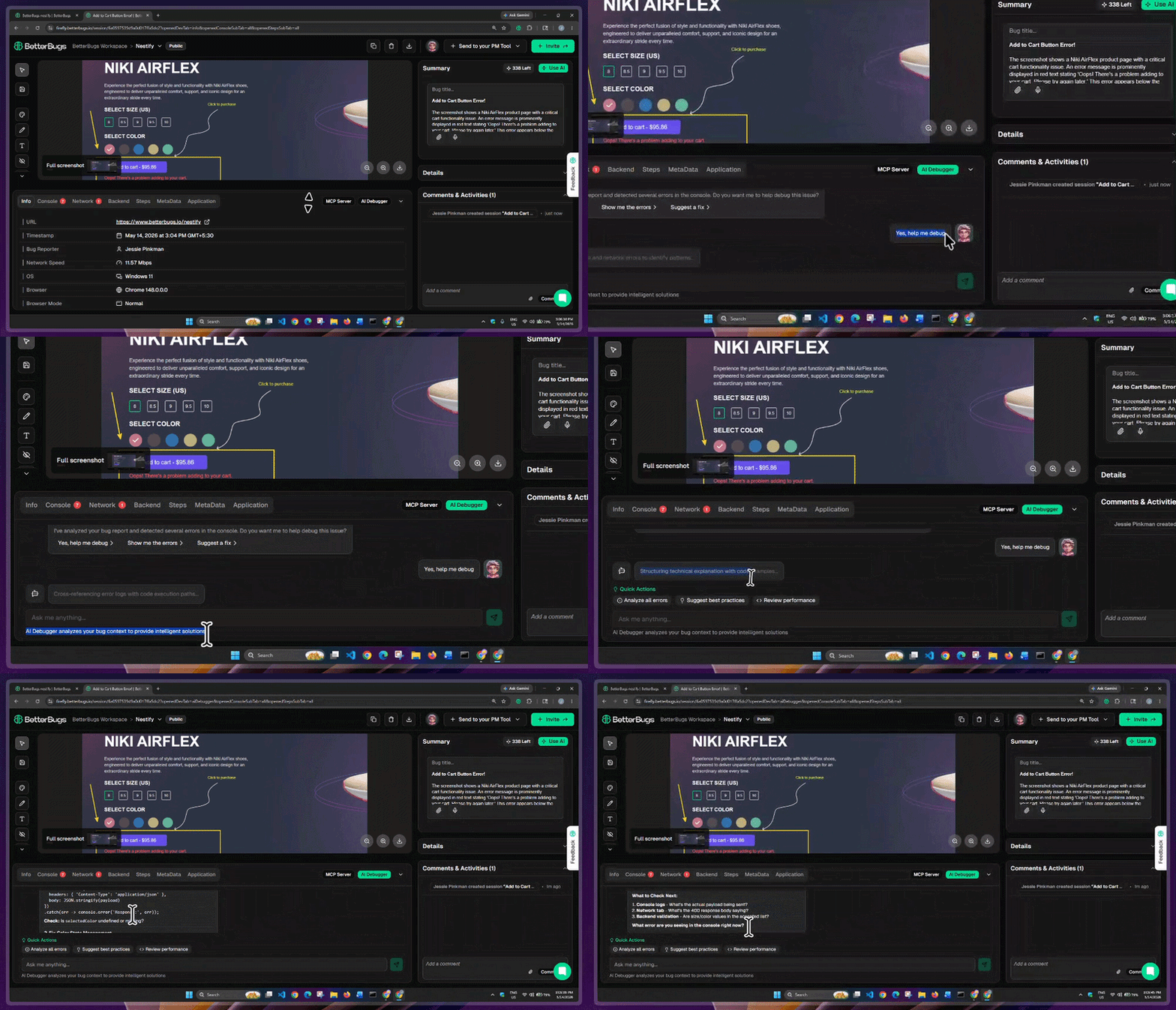
BetterBugs AI Debugger Demo
The MCP server connection ensures that the complete technical details are shared with the AI tool (via bug report link). So, you can run accurate AI debugging sessions on your first try!
Once you install BetterBugs MCP Server with your preferred AI text editors and tools (VS Code, Windsurf, Claude Code. and others), all you gotta do is add your bug report link + a quick prompt in your AI tool.
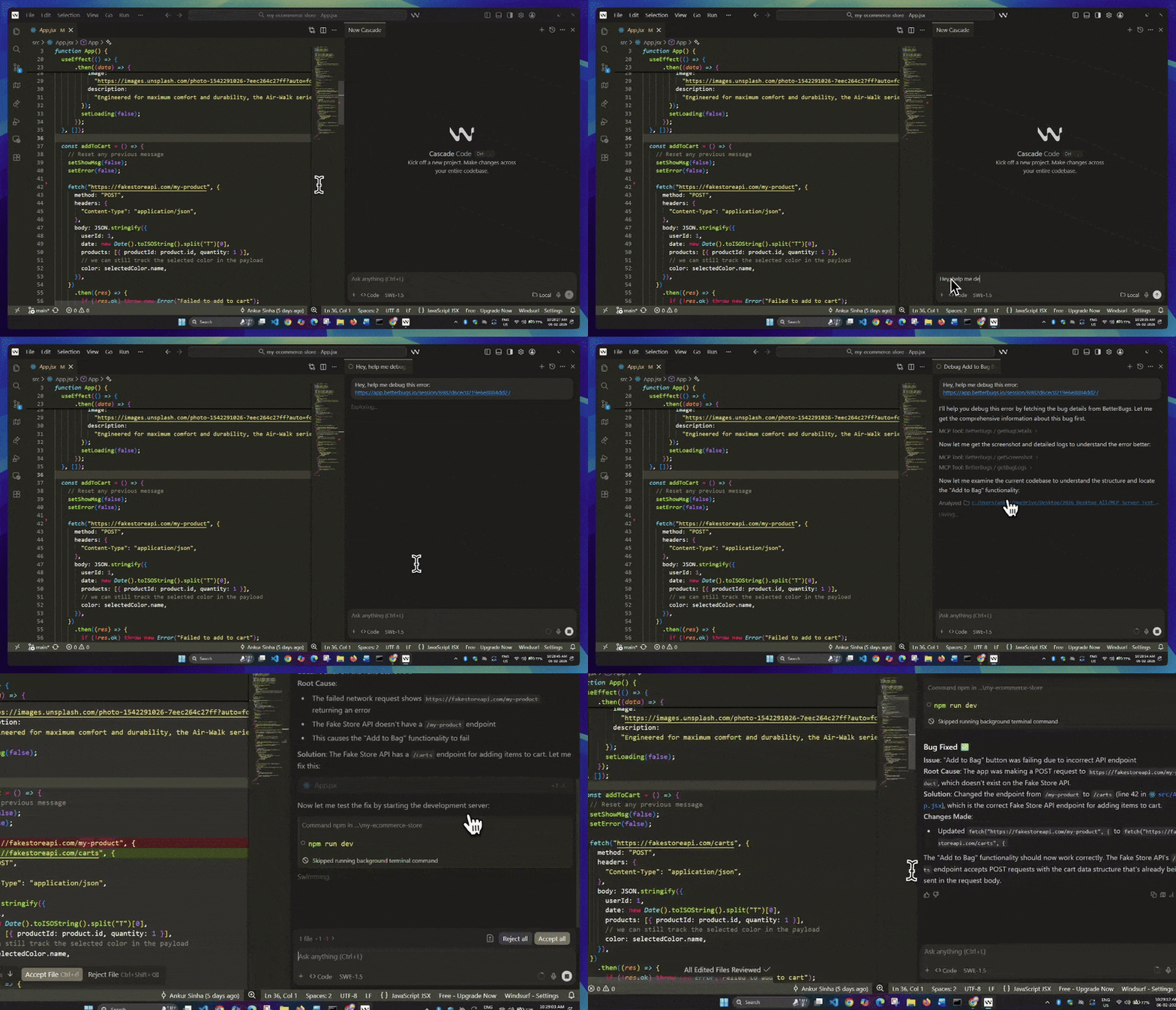
Fixing Bug on Windsurf using BetterBugs MCP Demo
To get started:
Creating an account with BetterBugs enables you to keep all the reports/issues in a dedicated Workspace/Project. You can use it in a central hub to access and manage all the GitLab issues.
You have two options for integrating BetterBugs.io with GitLab:
Here, we’ve covered the OAuth version integration steps. You can also check out the steps to integrate BetterBugs with your GitLab Self-Hosted version.
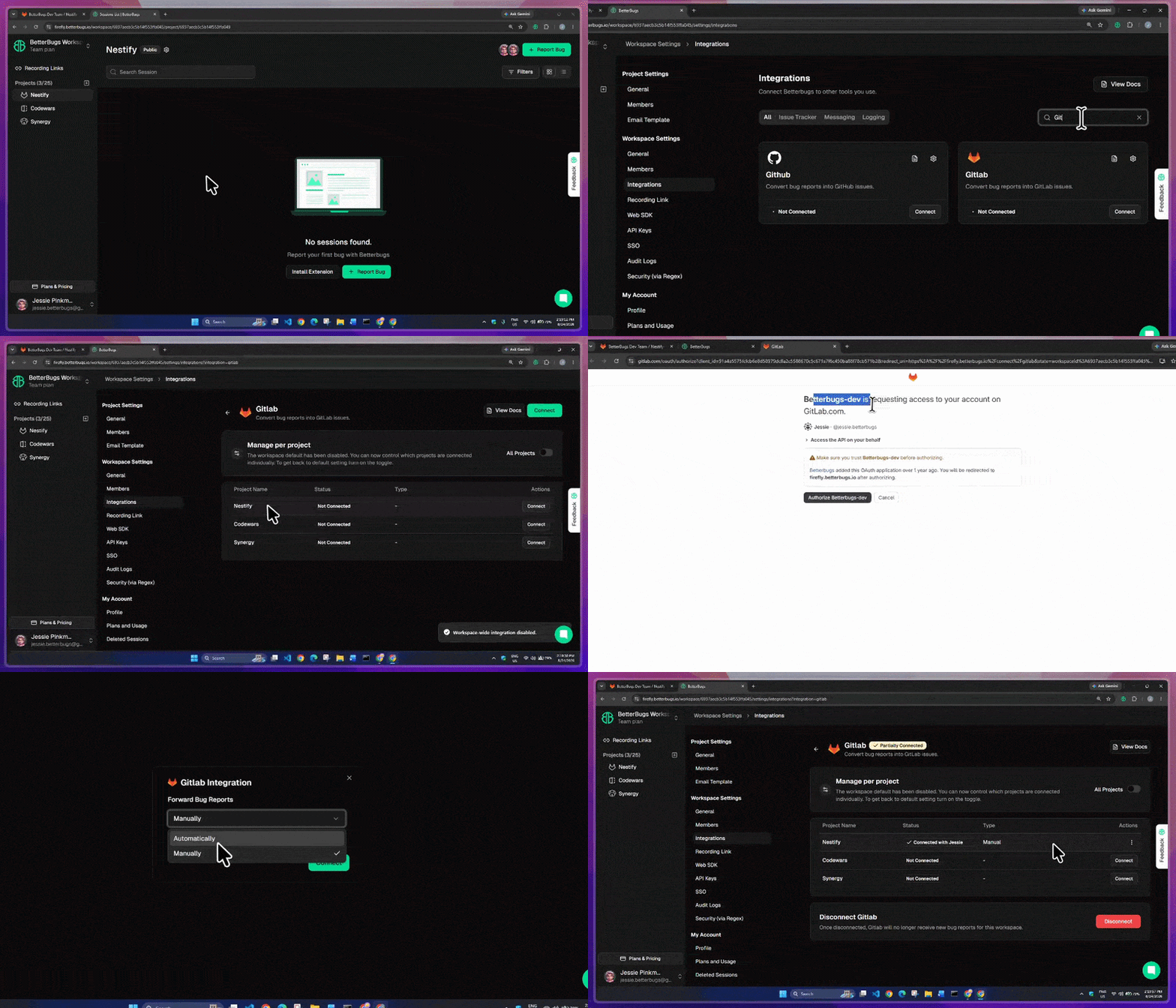
BetterBugs GitLab Integration (OAuth Cloud Version)
Done! You’re all set with the integration.
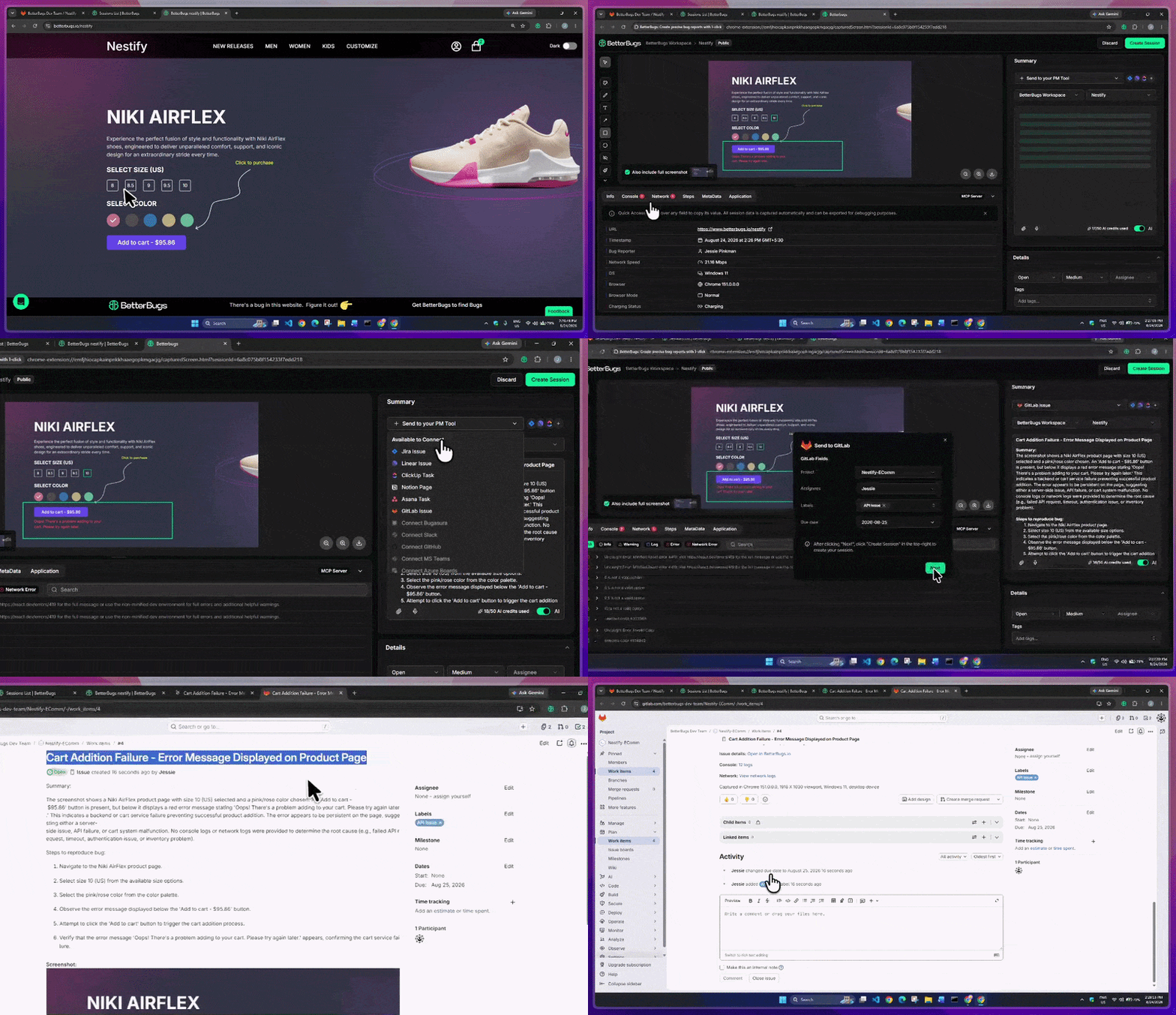
Capture bug to create issue and add details for it
You’re good to go!
This instantly adds the issue/report to your GitLab project with the underlying details (visual proof, title, description, technical details, OS info) and a link to the complete report on BetterBugs.
You can access the GitLab issue directly from the GItLab issue that you just created. Or, to access the GitLab Issue from the BetterBugs report, use the “Comments & Activities” panel below the description area.
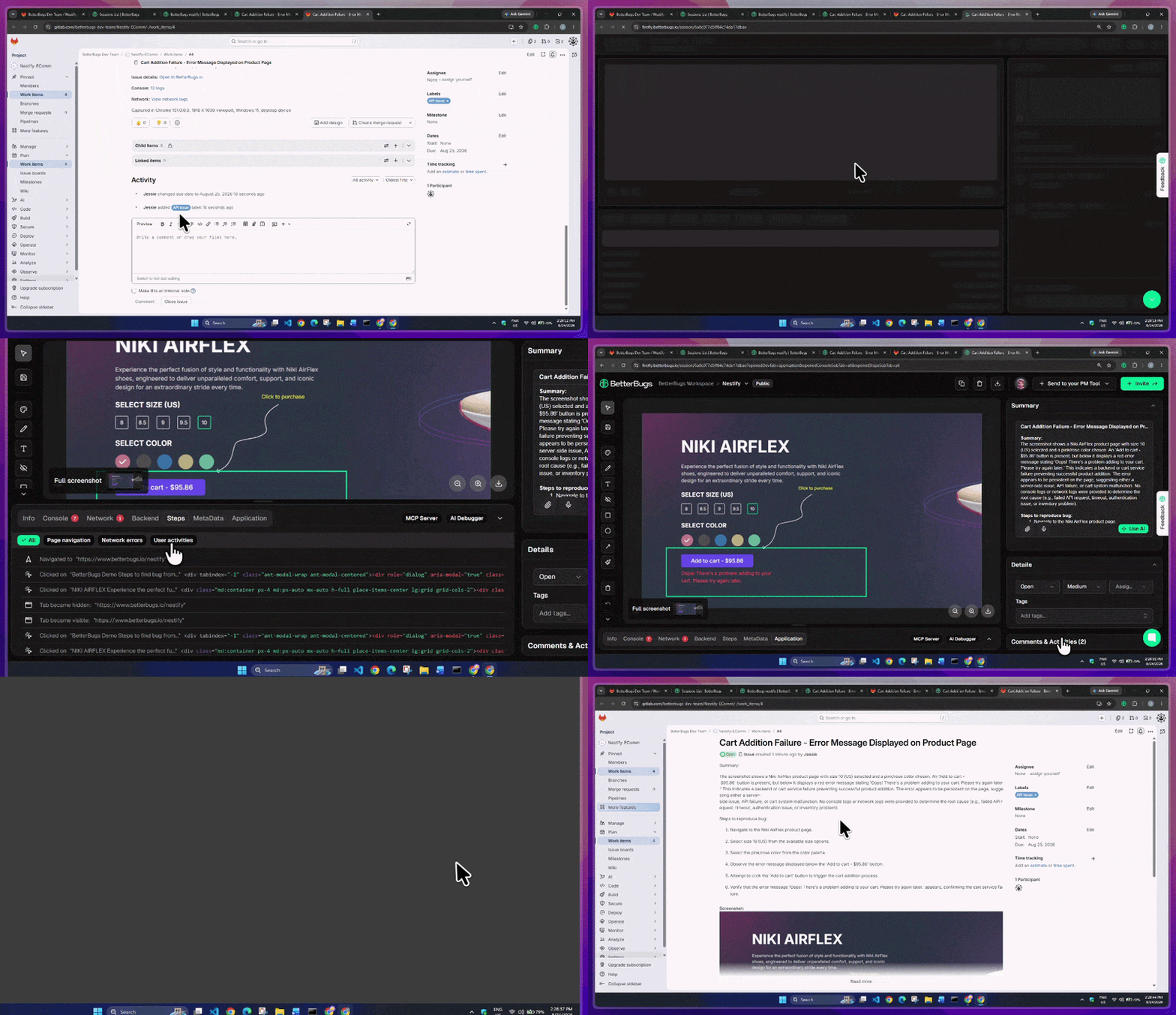
Access BetterBugs Report from GitLab Issue and Vice Versa
Nishil is a successful serial entrepreneur. He has more than a decade of experience in the software industry. He advocates for a culture of excellence in every software product.
Meet the Author: Nishil Patel, CEO, and Co-founder of BetterBugs. With a passion for innovation and a mission to improve software quality.
We never spam.