
Black FridayUp to 31% off Team plansCode
Share your experience with the founderhere!

Nishil Patel
Aug 20, 2026
5 min read
Last Updated Aug 20, 2026

Check out the steps to create bit-perfect and context-rich bug reports on Notion Pages in 2026 using BetterBugs tool for bug tracking; perfect for your everyday QA, software testing, and development workflows while managing your projects on Notion.
1.
Introduction
2.
What is Notion and Why It’s Preferred by Many as a Go-to Bug Tracking Tool?
3.
Why BetterBugs.io Works Best for Notion Bug Reporting and Bug Tracking Workflows
4.
How to Create Bug Reports on Notion for Bug Tracking in 2026: Easy Steps
5.
FAQs
In this article, we’ve covered easy steps to create bug reports on your Notion pages as tasks using the BetterBugs tool. If you’re in the market looking for a tool that automates the repetitive and time-consuming workflows of evidence gathering for bug reporting — while managing software projects on Notion — BetterBugs is for you.
Also Read: Bug Reporting vs. Bug Tracking vs. Issue Tracking: What’s the Difference?
Notion is a collaborative workspace application that lets you create documents, databases, and project boards all in one place. Product teams love its flexibility and ease of use as an issue tracker and bug tracker. They can report and track bugs on Notion pages, assign tasks, and link everything to related documents without switching between tools.
Here's more on how teams commonly use Notion for issue or bug tracking:
However, manual bug reporting is still a mess in Notion.
You have to add screenshots, copy-paste steps to reproduce, collect and include error logs manually, link to relevant docs, and notify the right people. It's slow, error-prone, and easy to lose track of context.
This is where BetterBugs can help!
Also Read: Top 10 Bug Tracking Tools
BetterBugs is a lightweight and easy-to-use visual bug reporting tool for Notion. It enables you to create context-rich, technically-sound and data-filled bug reports in one-click that you can instantly share to your Notion page right from your browser.
You can download it from the Chrome web store as a FREE extension. It’s a no-code tool with a zero-learning curve; perfect for technical and non-technical users.
Also Read: How to Write Effective Bug Reports? Step-by-Step-Guide
Other than Notion, you can also integrate BetterBugs several other project management tools and issue trackers, such as Jira, Asana, GitHub, GitLab, and many others.
While working on software projects (as a QA, developer, tester, project manager, stakeholder), whenever you come across a bug or an issue, all you need is to take a screenshot or record the screen of the issue using the BetterBugs extension. For adding bug details, you can use “AI” to get Bug Title + auto-generated summary + steps to reproduce.
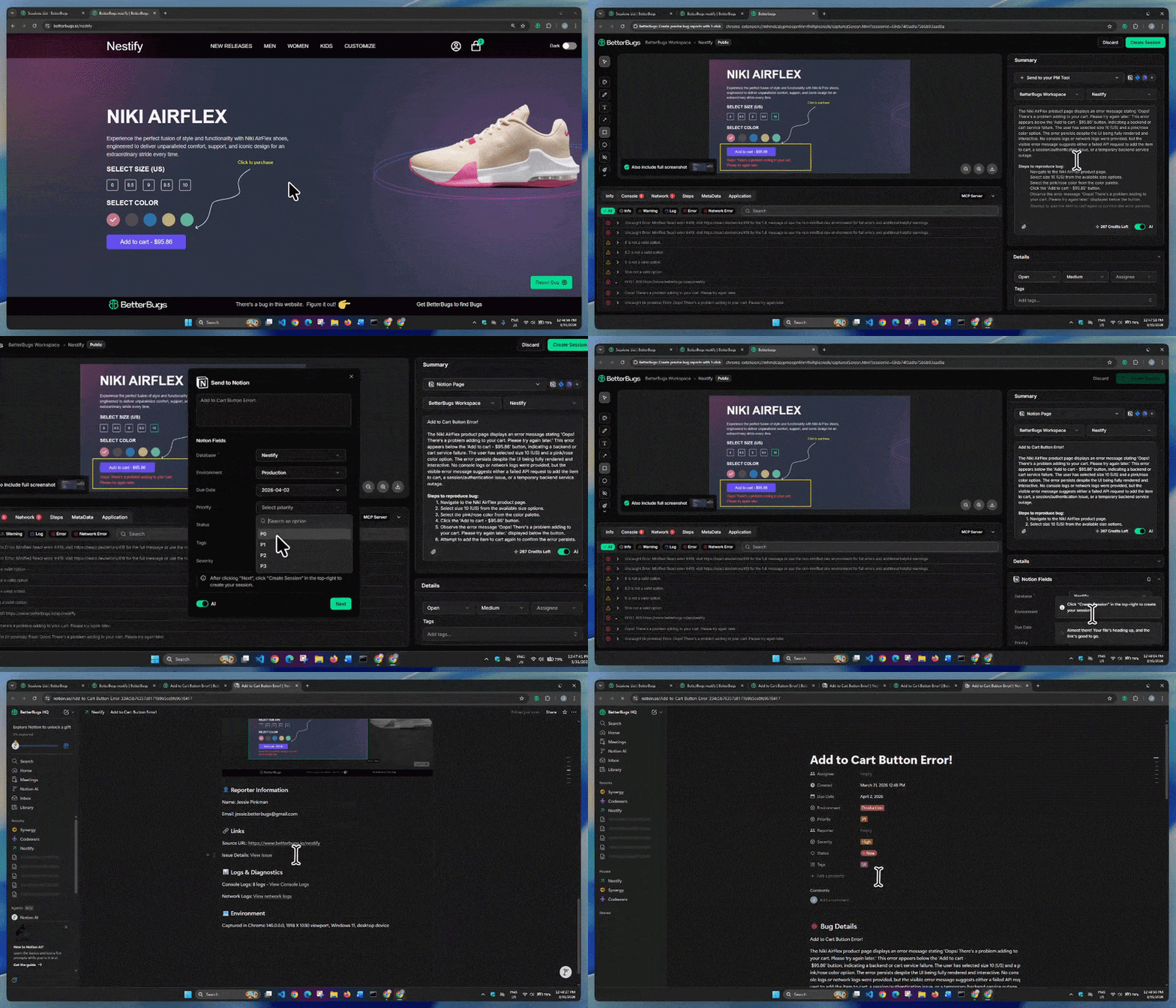
How to Turn Bug Reports to Notion Tickets for Bug Tracking | Video Demo
BetterBugs auto-gathers the issue technical details to create a developer-friendly bug report with a few clicks. Your bug report is ready to go! You can share the complete report to your Notion page right from your browser.
Every bug report packs in:
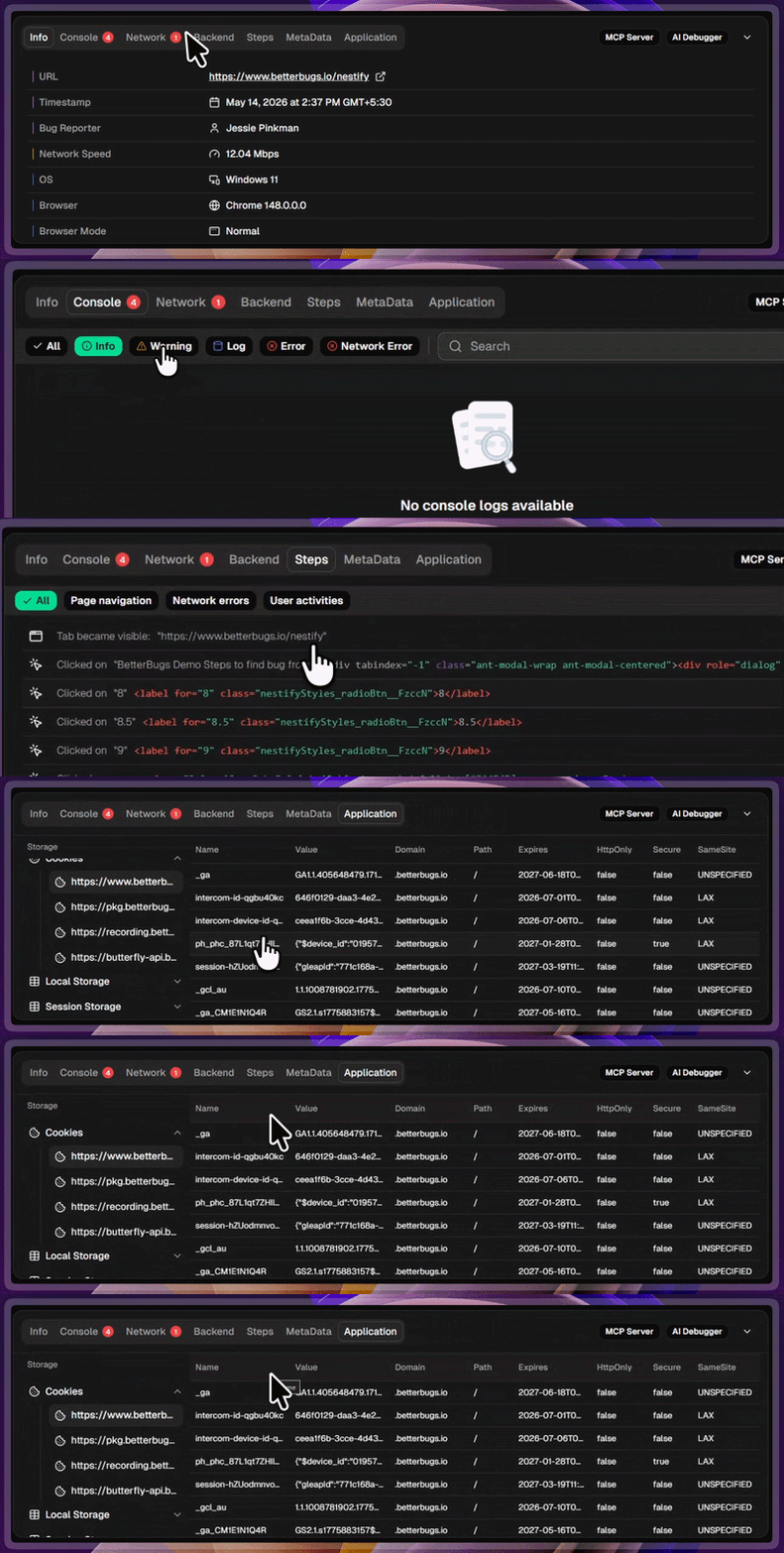
Auto-attached Technical Details to Every Bug Report
No need to copy-paste information manually or juggle tools for bug reporting. BetterBugs does this for you, automatically.
BetterBugs.io comes with integrated AI-Debugger for all your reports that give you the instant root cause analysis, possible solutions, and the next steps for AI-assisted debugging sessions.
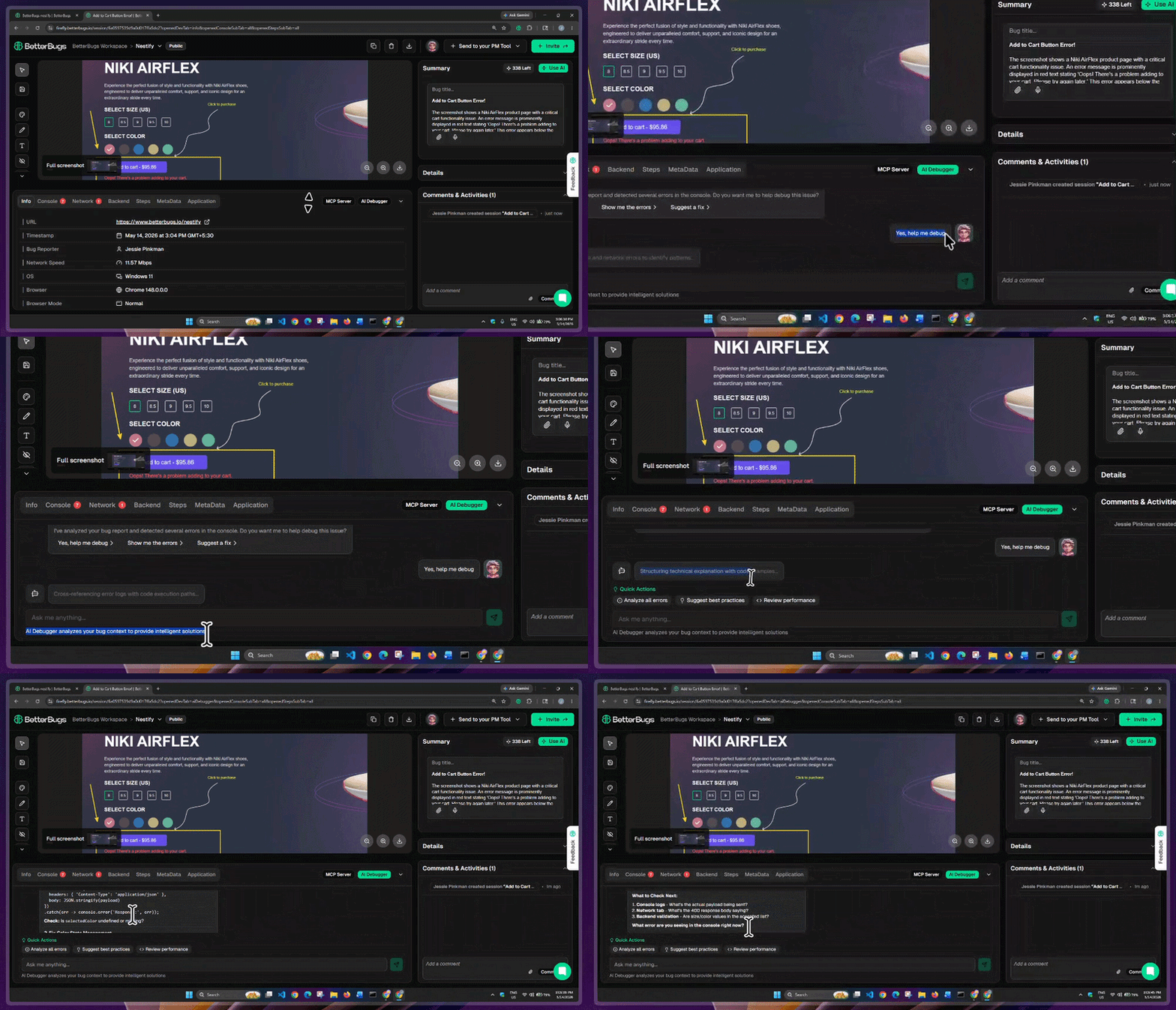
BetterBugs AI Debugger in Action
You can also use the BetterBugs MCP Server to load your bug reports to your AI Agents for more accurate debugging sessions.
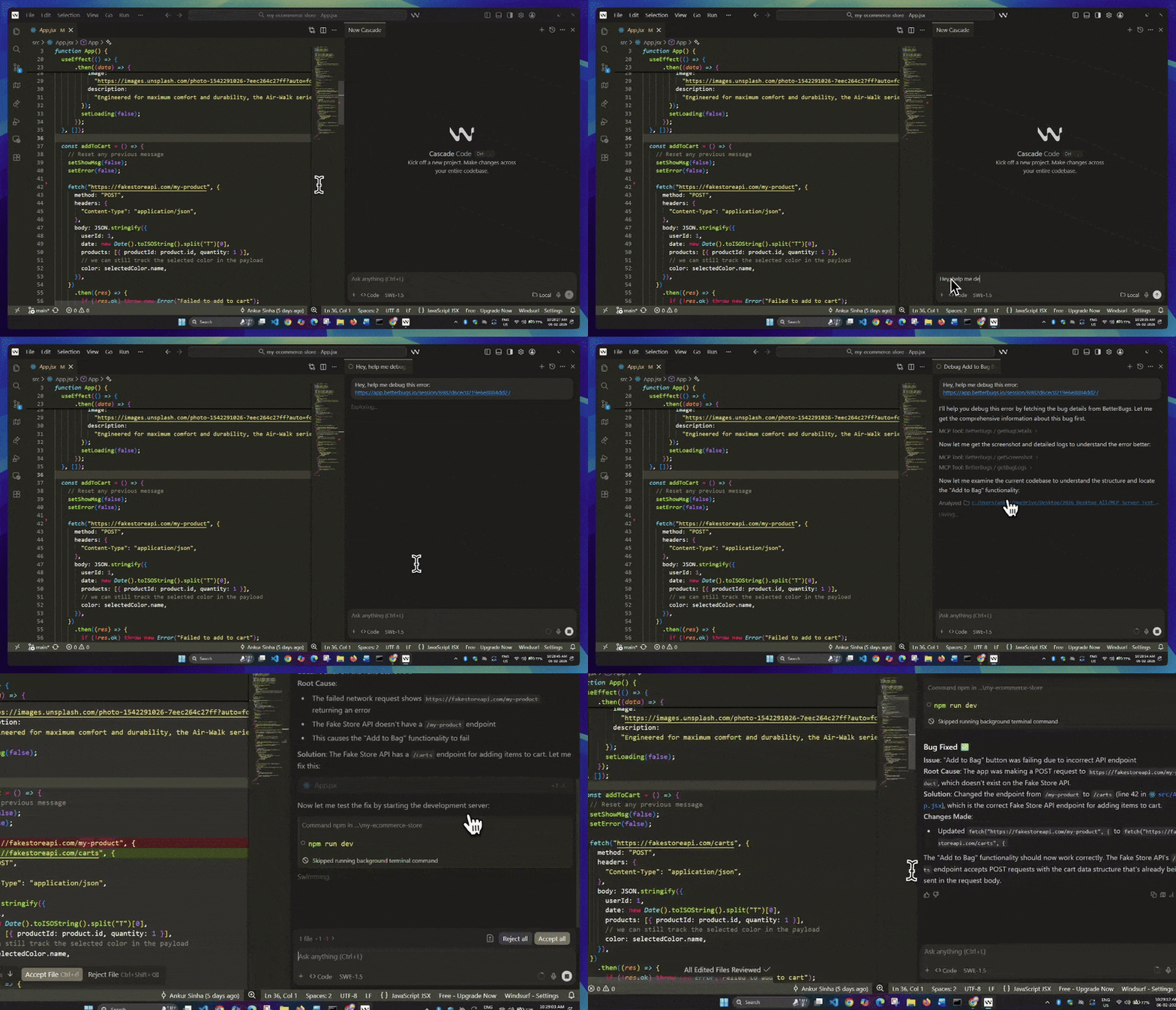
Fixing Code Using BetterBugs MCP + Windsurf | Video Demo
Once you integrate the MCP Server with your preferred tool (VS Code, Cursor, Windsurf, and many others), all you need is to add the BetterBugs bug report link + a quick prompt to get the RCA much faster + resolution steps/code for the issue. It's as easy as that!
Once you’ve signed up for BetterBugs, here are the steps for integrating Notion:
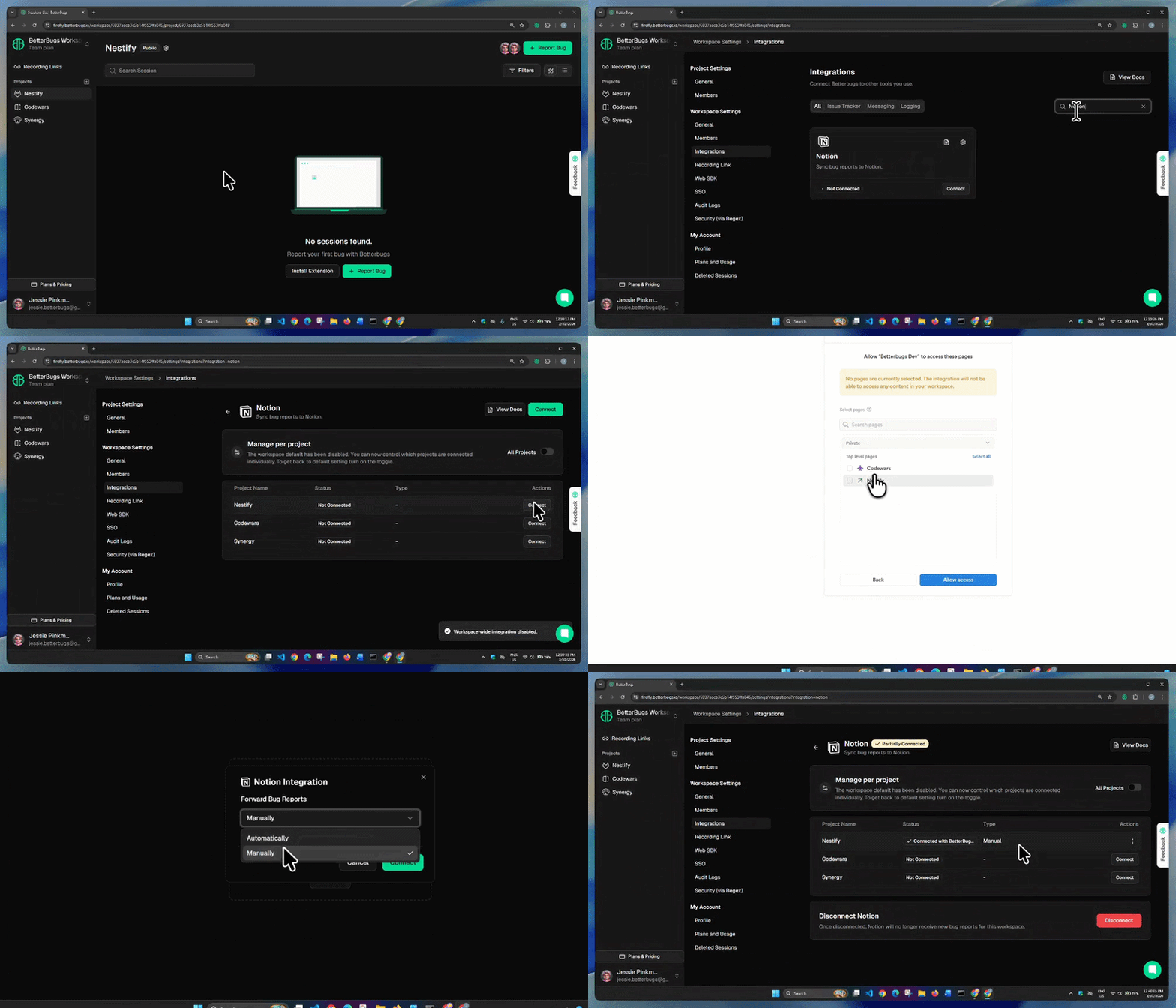
BetterBugs and Notion Integration Steps | Demo
You’re good to go with the integration.
Steps to Create Bug report on Notion Page using BetterBugs | Video Demo
Okay! You’ve just created a bug report on Notion page. No more steps for it.
A new tab opens your Notion task that you just created. The reports packs in the bug details that includes:
You can access the Notion task from the bug report using the “Comments/Activities” panel on the right.
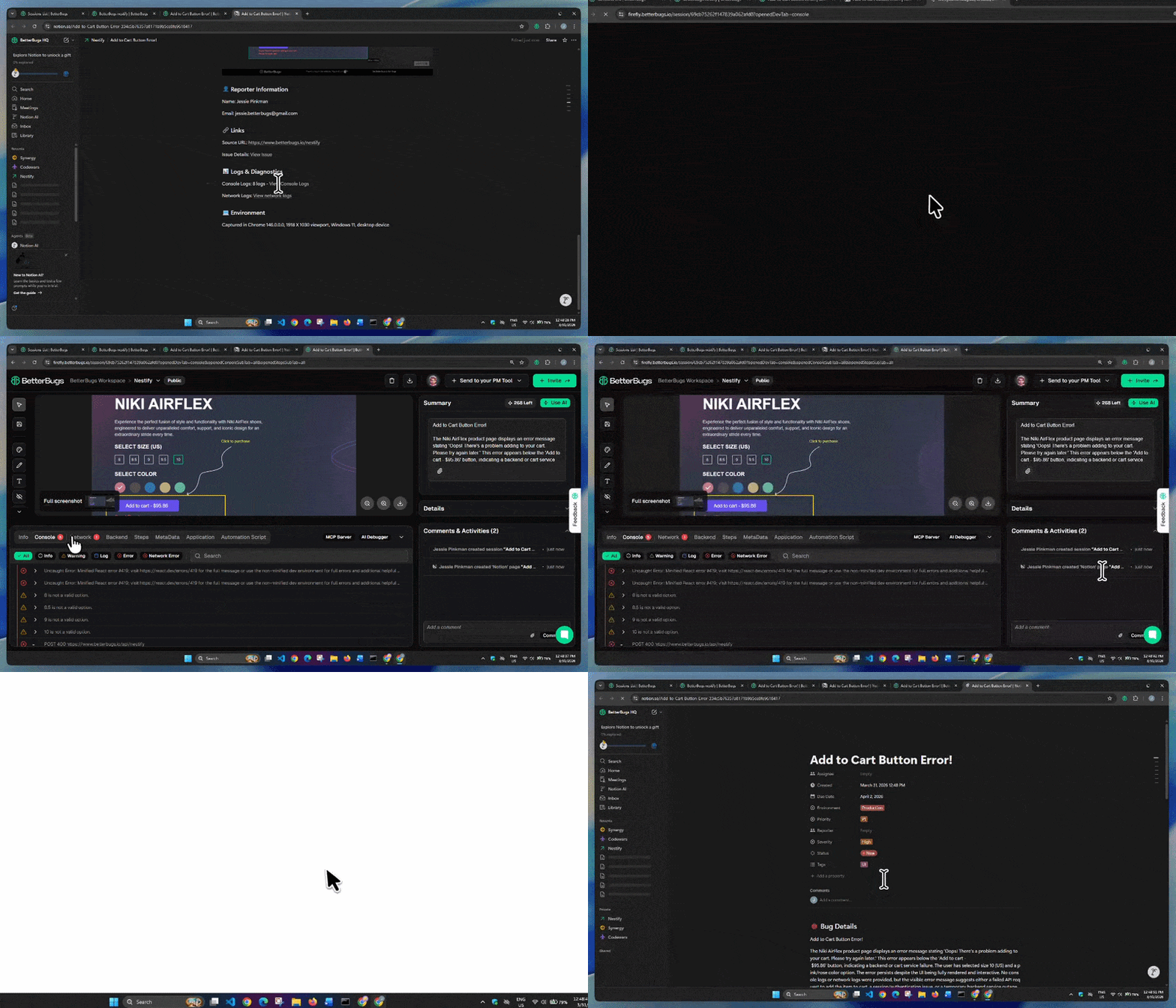
Access Bug Report on BetterBugs and Go to Notion Ticket from the Bug Report | Video Demo
Nishil is a successful serial entrepreneur. He has more than a decade of experience in the software industry. He advocates for a culture of excellence in every software product.
Meet the Author: Nishil Patel, CEO, and Co-founder of BetterBugs. With a passion for innovation and a mission to improve software quality.
We never spam.