
Share your experience with the founderhere!

Nishil Patel
Nov 23, 2026
4 min read
Last Updated Nov 23, 2026

In this article, we’ve covered BetterBugs Black Friday 2026 offer details, discount code, its pricing (monthly + yearly), and a quick overview of the slew of newly added features with the BetterBugs version 1.1.11. Learn more on how it helps in your bug reporting, bug tracking, and AI debugging workflow.
1.
Key Takeaways
2.
Fix bugs 83.27% faster with BetterBugs | Save up to 36% (BBFRIDAY20) until Dec 5, 2026
3.
The BetterBugs Black Friday 2026 Offer | Up to 36% Off the Team Plan
4.
How BetterBugs Replaces Manual Bug Reports (and Templates)
5.
Why BetterBugs Version 1.1.11 Makes This Upgrade Worth It
6.
FAQs
If you are hunting for Black Friday 2026 software deals and Black Friday developer tools deals that actually take your shipping speed through the roof, you are in the right place.
Between Black Friday SaaS deals and Cyber Monday software deals,there's a very good chance that you get flooded with discounts on tools you rarely open after January.
BetterBugs is doing the opposite: trusted by 35,000+ software professionals to fix bugs 83.27% faster, we are pairing 20% off monthly Team plans or a stacked 36% savings on annual Team plans (BBFRIDAY20) with Version 1.1.11 (our biggest release yet) available through December 5, 2026.
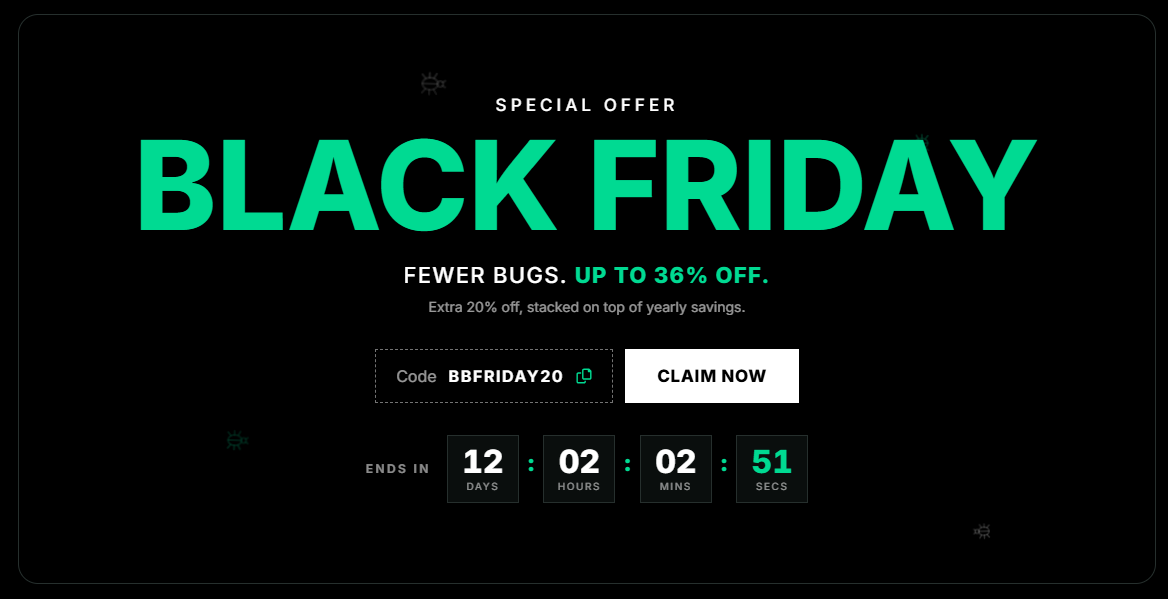
BetterBugs Black Friday 2026 | Use Code: BBFRIDAY20 | Valid till December 5, 2026
Use BetterBugs as a bug reporting tool, a bug tracker, a bug tracking tool workspace, or a screen recorder chrome extension, and customer feedback tool. The current release is built to cut out the manual gruntwork, speed up bug triage meetings, and get your team through the holiday release rush without losing context.
Whether your team prefers the flexibility of month-to-month billing or wants maximum annual savings, promo code BBFRIDAY20 works across both billing cycles on the Team plan before the sale ends on December 5, 2026.
| Billing Cycle | Standard Price | Black Friday Price (BBFRIDAY20) | Total Discount |
| Yearly Billing (Best Value) | ₹999.00/seat/month (₹11,988.00/year) | ₹639.20/seat/month (₹7,670.40/seat/year) | 36% off (20% yearly saving + extra 20% Black Friday off) |
| Monthly Billing | ₹999.00/seat/month | ₹799.20/seat/month | 20% off Black Friday discount |
For complete info, check our pricing page.
If you have ever searched for how to write a bug report or copied a bug report template into a ticket by hand, you know how slow manual reporting gets, especially when reproducing steps, grabbing console/network logs, and explaining what happened over chat takes precious time.
BetterBugs acts as both a bug reporting tool and a screen recorder chrome extension (with AI-assisted summaries and debugging context) so you don't have to build a template from scratch every time. Visual evidence, environment context, logs, and AI-generated summaries land in one place; perfect for comparing the best bug tracking tools to standardize reporting without slowing down debugging sessions.
A discount is only as good as the daily workflow behind it. BetterBugs v1.1.11 upgrades how QA engineers, developers, product managers, and support teams capture, triage, and debug software issues from end to end:
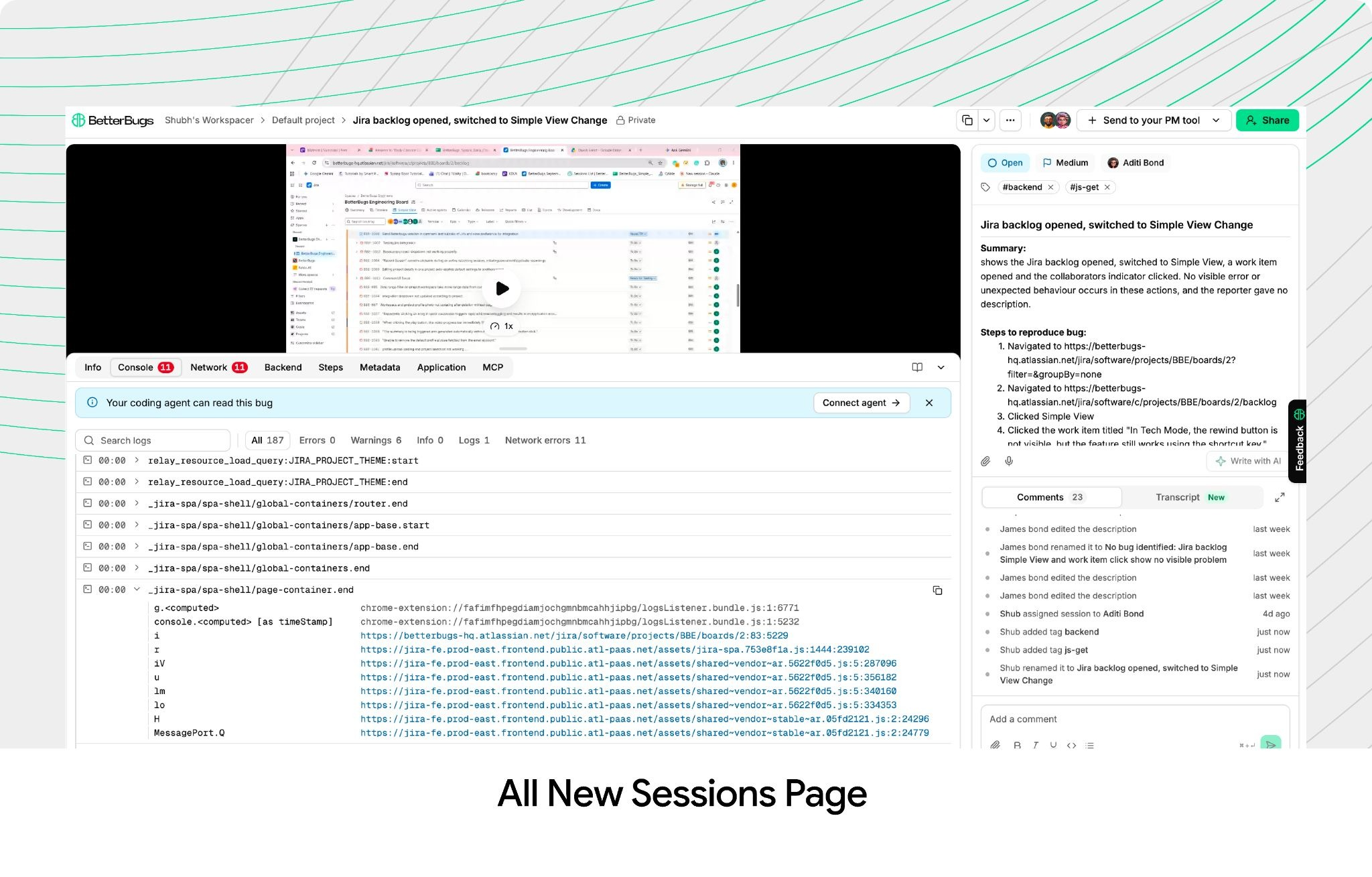
A refreshed layout across the web app and extension brings clearer hierarchy, consistent typography and spacing, smoother transitions, and fewer clicks when sharing a session or pushing it to your PM tool.
Jump into built-in views (Sessions, Assigned to me, Reported by me), create custom saved views with Add view, filter by project, status, priority, assignee, or reporter, sort by newest, oldest, or recently updated, and toggle between grid and list layouts.
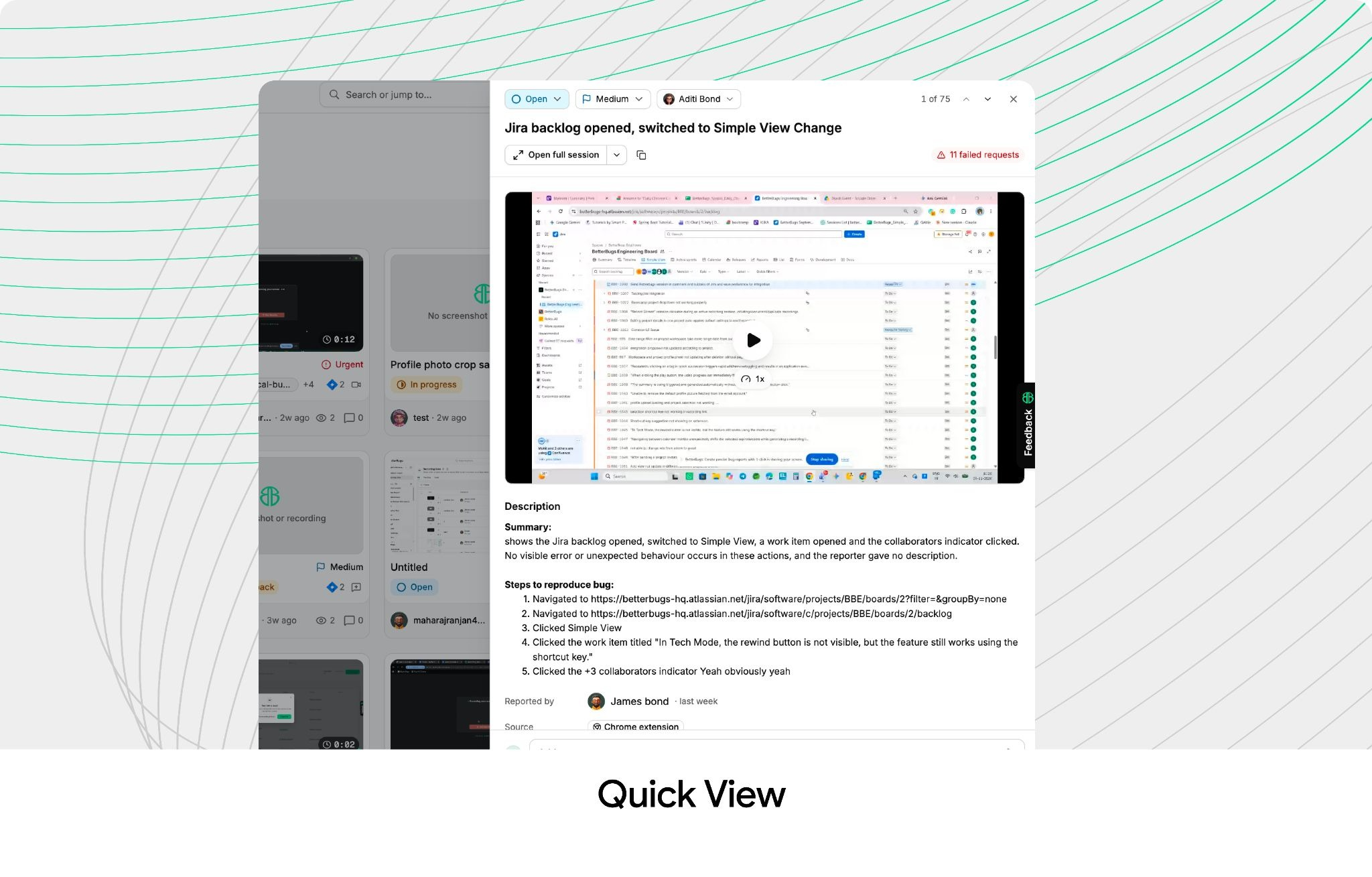
Preview a screenshot or recording, summary, status, and key details in a side panel without leaving your list or open the full session whenever you need deeper detail.
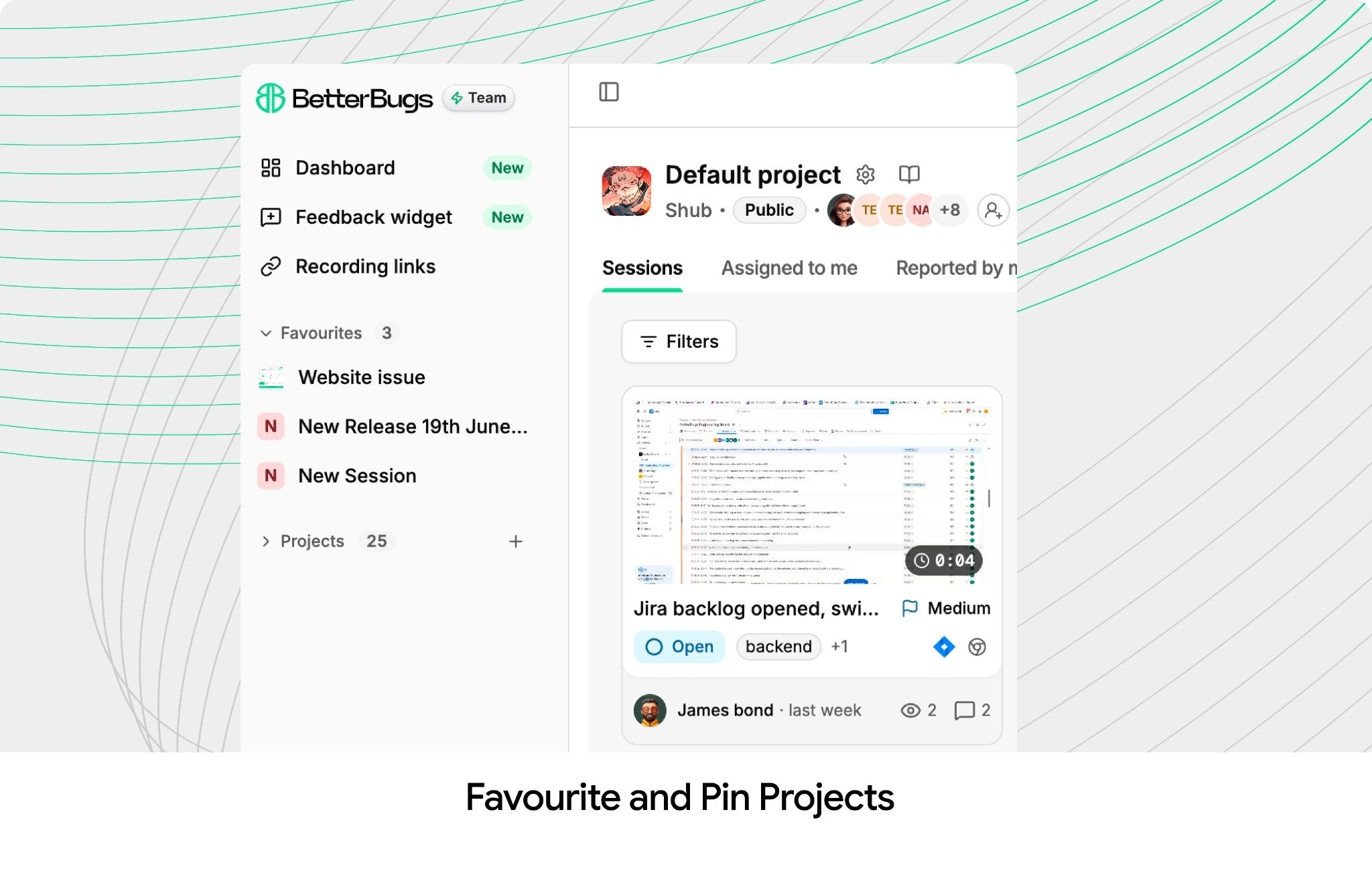
Favourite high-priority projects and pin them to the top of your personal sidebar so everyone organizes their own view.
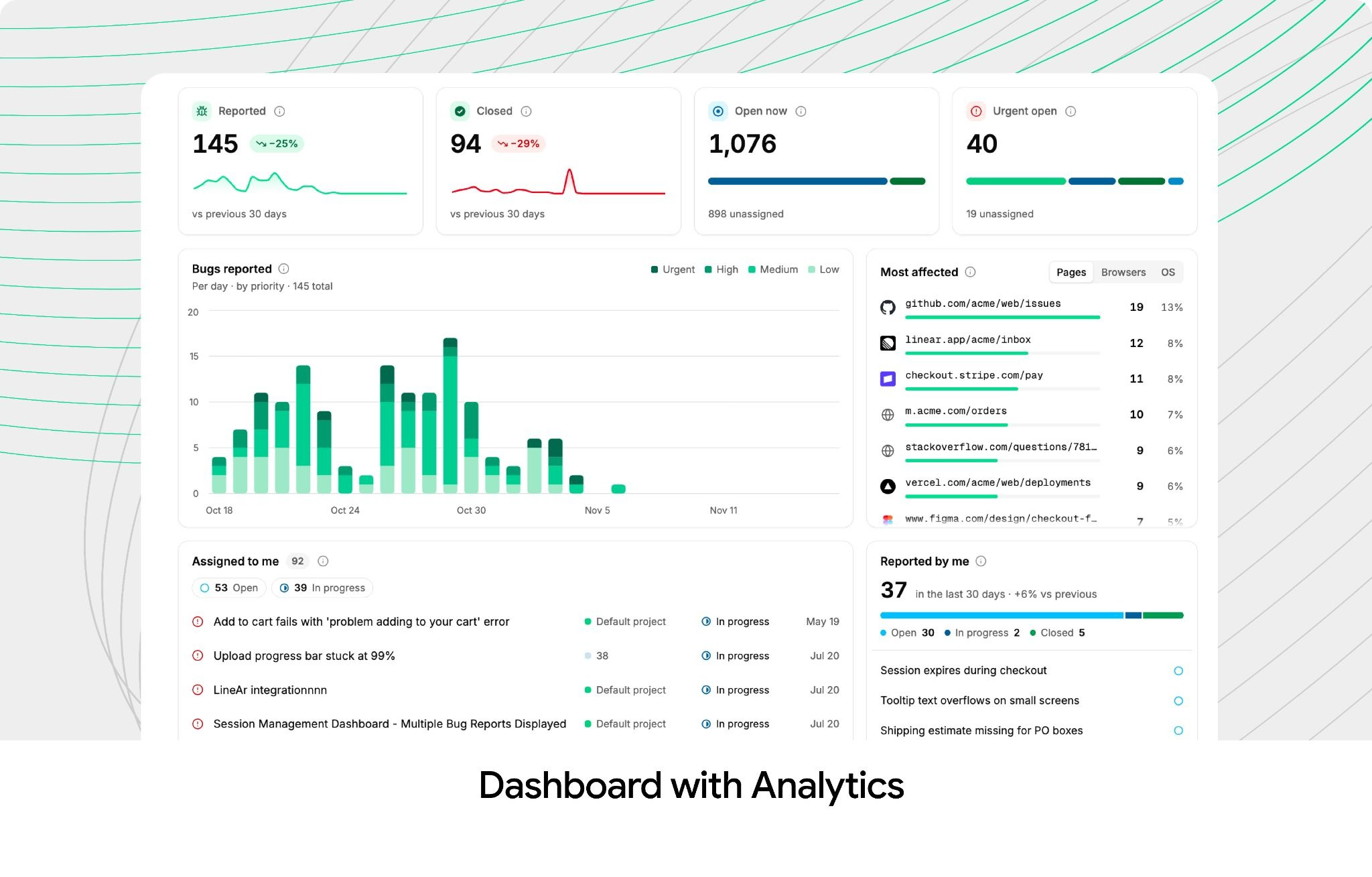
At the top of the sidebar, the new dashboard tracks bugs reported over time by project, priority, and status, compares open vs. resolved counts across date ranges, and breaks down capture sources (extension, recording links, or website feedback widget).
Incoming reports from your website feedback widget (Web SDK) now live in their own Feedbacks section with recordings and technical details ready to assign or send to your PM tool.
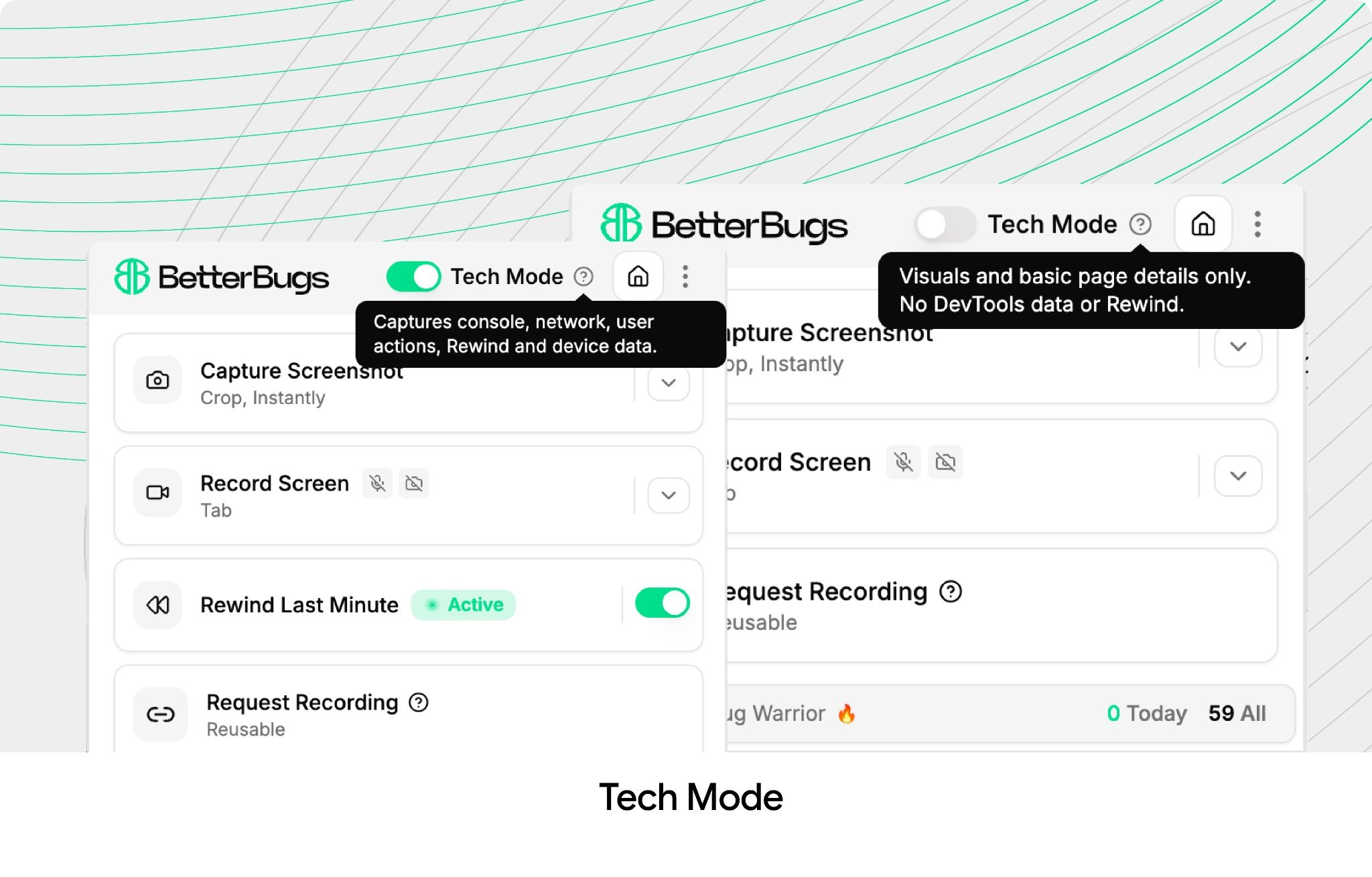
Switch technical data capture on or off right from the extension. With Tech Mode On, captures include console logs, network requests, user actions, and device details. With Tech Mode Off, captures stay focused on a clean screenshot or recording plus page URL, browser, and OS, clearly labeled so engineers can request a full technical capture in one click if needed.
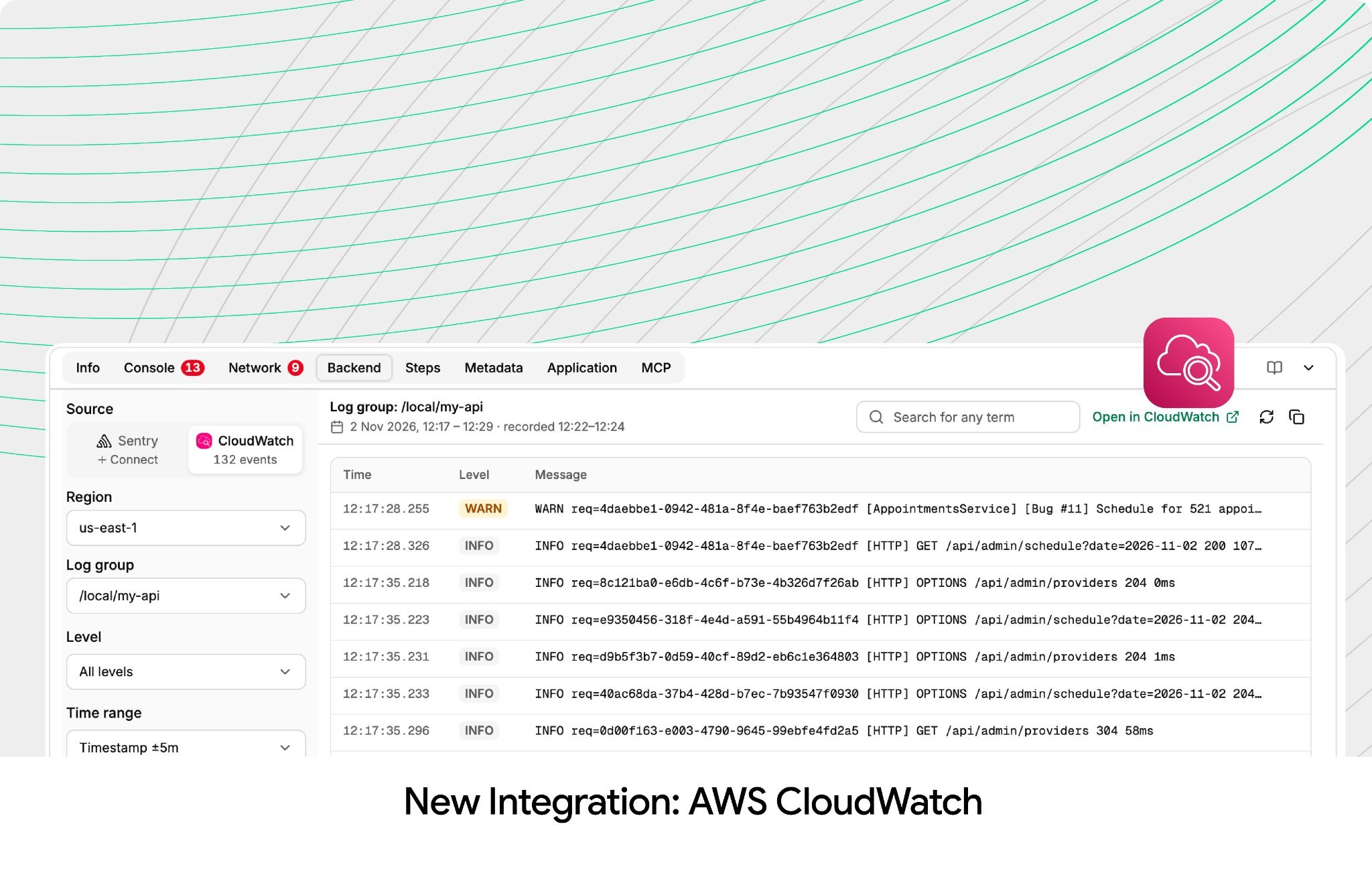
View AWS CloudWatch logs right beside Sentry in the Backend tab of a bug session. Connect in three steps using a read-only AWS role (BetterBugs never modifies your AWS account), inspect logs matched to the exact bug timestamp marker, filter by log group, level, or time range, search terms, or jump straight into CloudWatch.
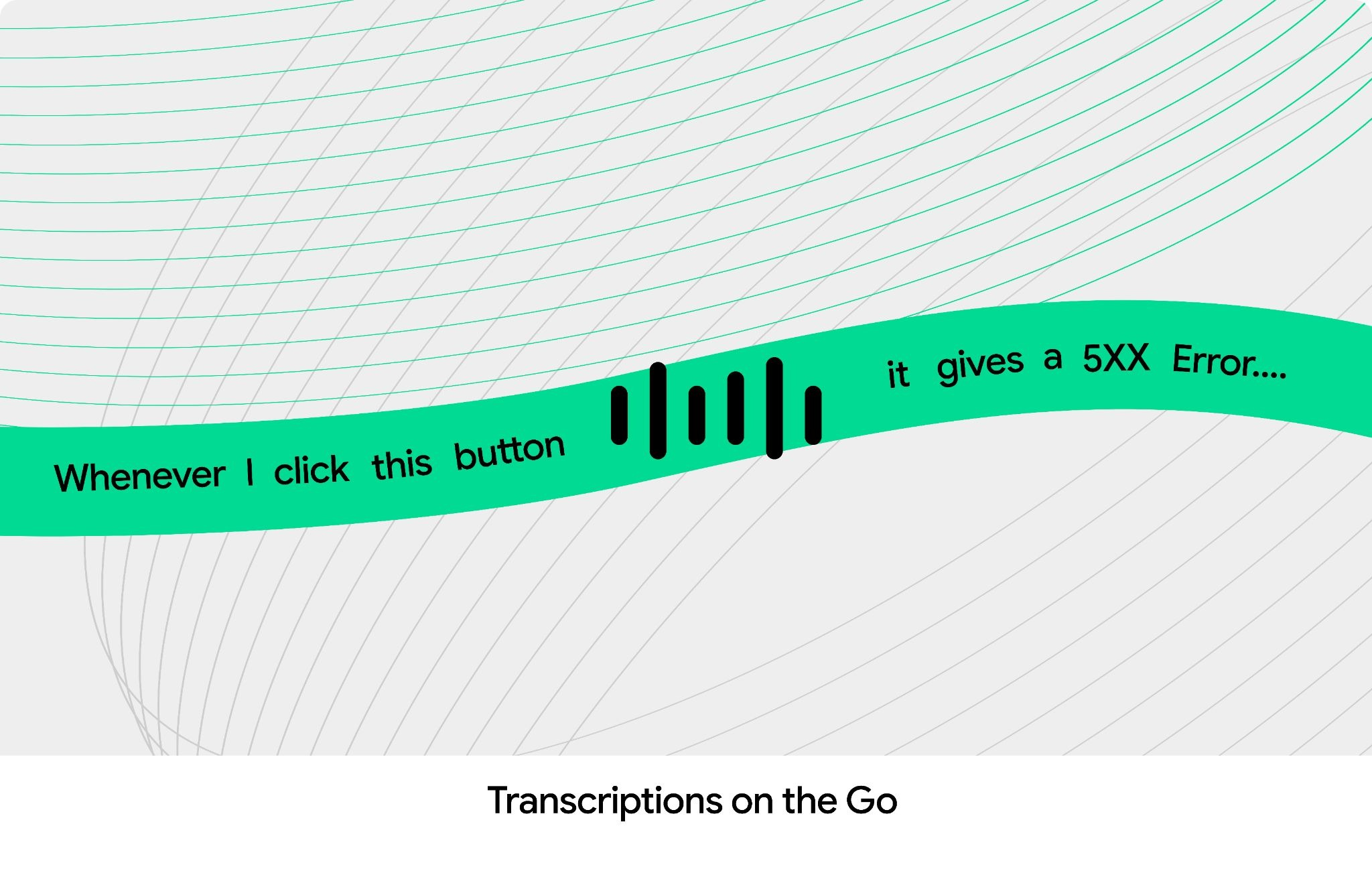
Voice notes with the recordings are automatically transcribed into searchable text so developers can scan or search key details instead of replaying an entire video.
Attach follow-up sessions directly to existing Jira issues (including issues created outside BetterBugs) as a Comment or Sub-task, grouped under the original session with live Jira status visibility to help prevent duplicate tickets.
Use Advanced Webhooks to track every outbound webhook in a Delivery log (result, response code, duration, attempts, and one-click resend), spot failing endpoints via last delivery status, scope rules by workspace or single project, add custom headers and fields, and verify payloads with a workspace Signing secret (including 24-hour overlap during key rotation).
Claim Up to 36% Off the BetterBugs Team Plan Before December 5, 2026 — Use code BBFRIDAY20 on monthly or annual billing and start your 10-day free trial today.
Nishil is a successful serial entrepreneur. He has more than a decade of experience in the software industry. He advocates for a culture of excellence in every software product.
Meet the Author: Nishil Patel, CEO, and Co-founder of BetterBugs. With a passion for innovation and a mission to improve software quality.
We never spam.