





Let’s evaluate
How BetterBugs.io Compares with Marker.io
Here’s why BetterBugs.io is a shockingly good and affordable alternative to Marker.io.


Screen Capture Flexibility
Screenshot capture + Screen Recording via lightweight extension to capture bugs with multiple modes


Developer Logs
Along with dev logs, get cookies, local, and session info — auto-attached with all reports for better reproducibility
Backend Event Logs
Get all event logs from your Sentry infrastructure in the Backend tab — right within your bug report
Video Annotations + Webcam Support
Annotate videos while screen recording + use webcam overlay to pinpoint specifics or add more info
AI Features
AI summary + issue repro steps for bug reports. AI-Debugger for instant RCA + possible fixes
Integrate with Your PM Tools
Free integrations (up to 30 attempts) for premium tools + Unlimited integration attempts for Teams and Slack
Automation
Automate tickets creation to save hours of manual gruntwork of copy-pasting bug info to your PM tools
Recording Links
Generate Recording Links to share via emails, support forums, or directly — for end user feedback
Data Retention
Free version with robust features + 2 year data retention for all reports and feedback sessions
9 Reasons Why Product Teams Choose BetterBugs.io over Marker.io
Snappy extension with multiple screen capturing modes
Get full technical info with each report for better reproducibility
Get all event logs from Sentry within your bug report
Video annotations + Webcam support for max context
AI for issue repro steps + instant RCA
Free integrations to explore what works best for you
Automation workflows for creating tickets with one-click
Easily shareable Recording links for gathering end user feedback
2-year data retention across all plans
Capture.Report.Debug.
Share Bug Reports that Do Not Need Follow-ups
Saving you hundreds of hours and dollars in productivity. And that’s just the start. BetterBugs.io makes bugs look less scary.
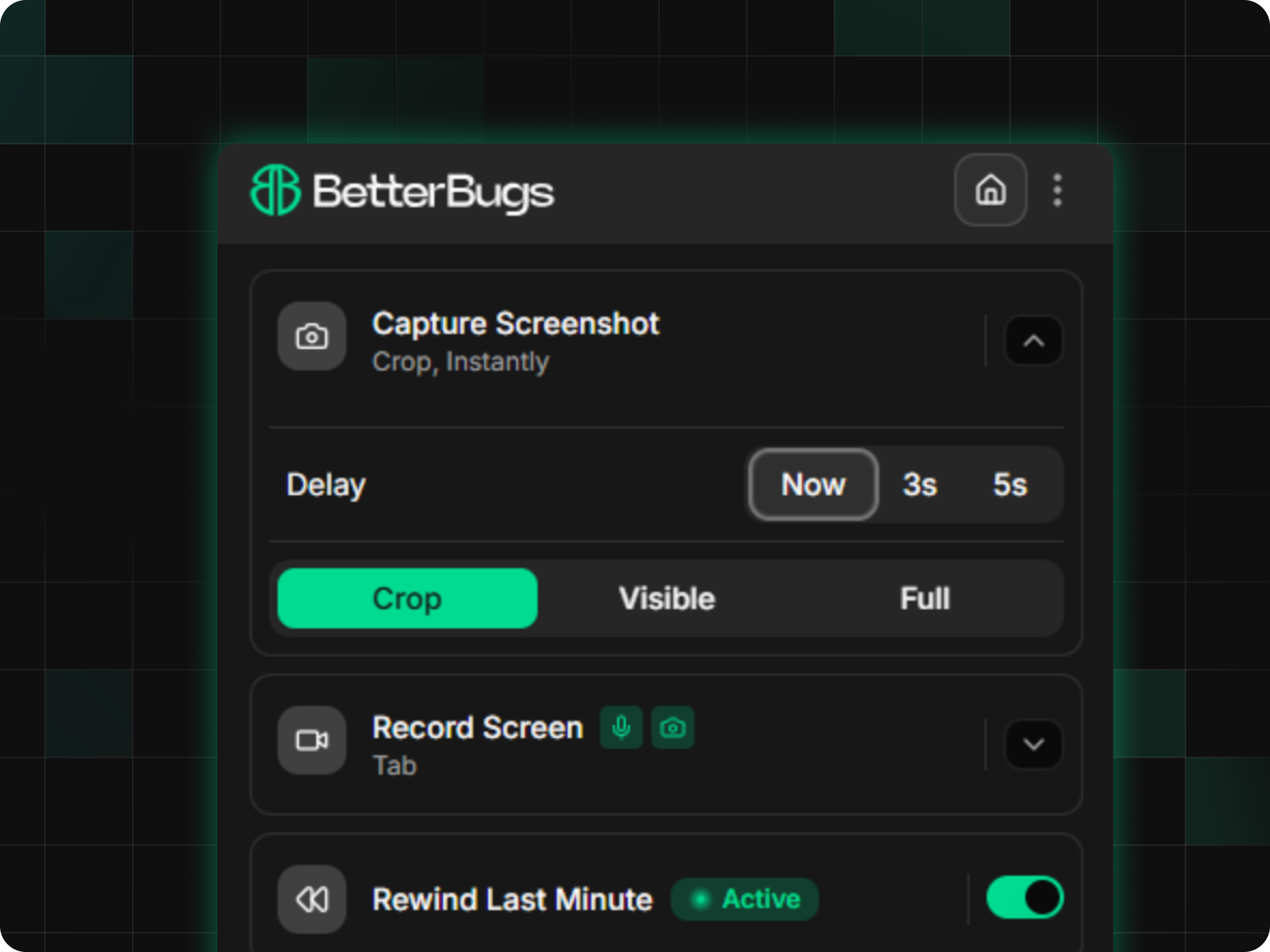
Multiple ways and modes to capture visual proof of bugs
BetterBugs.io comes with multiple screenshot and screen recording (up to 15 mins) options. Plus, it has a “Rewind” button that instantly gives you the last 2-min screen recording of all your browser activities (runs only on sites you allow). Use Rewind to capture and report bugs that just occurred — even if you didn’t start recording proactively. It's perfect for issues that just happened or bugs that you didn’t anticipate.
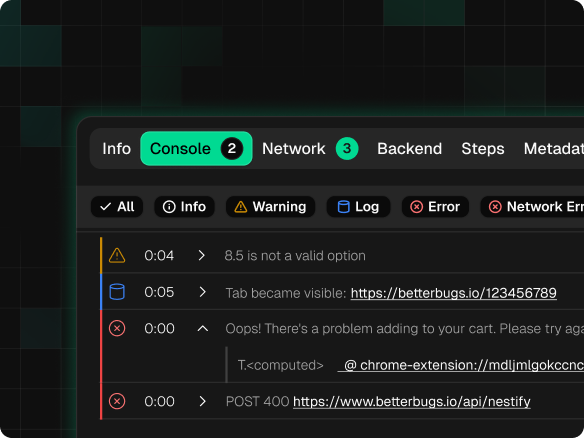
Get complete technical info for better reproducibility
With every bug report, BetterBugs.io auto-attaches technical details of the issue including system info, console (Warnings, errors, Log, Network Error), network requests, page navigation steps, metadata (Added by the reporter), and app state. Cookies, local storage, and session storage data can be an important source of truth for state that determines how web apps behave. This data can help devs reproduce bugs by recreating the exact user environment, authentication status, and app state that triggered the issue. Plus, you get the flexibility of turning off cookie capturing, if required.
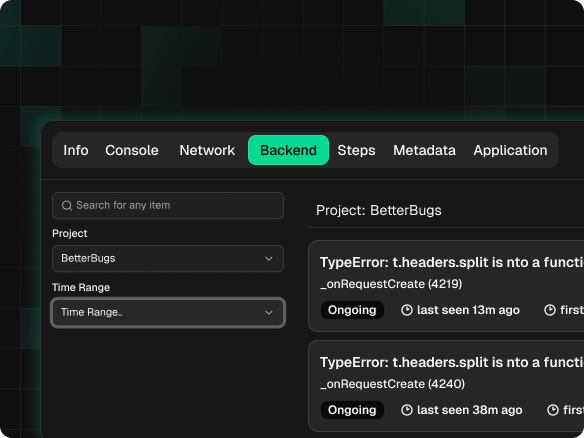
Get all event logs from Sentry within your bug report
BetterBugs.io seamlessly connects your Sentry infrastructure. This enables you to get all event logs (front and backend; from up to 3 hours before and 3 hours after you capture an issue) auto-attached to every bug report you create with BetterBugs.io. You don’t have to log in to your Sentry account every time to see event logs or stack traces coming from your Sentry infrastructure. BetterBugs.io auto-attaches Sentry event logs with timestamps to every bug report.
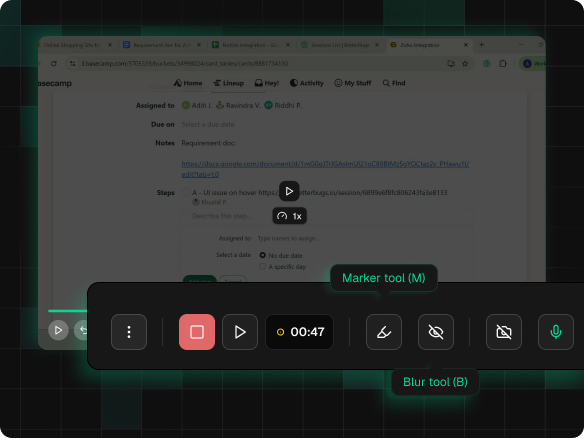
Video annotations + Webcam support for max context
BetterBugs.io enables you to annotate while recording sessions for capturing bugs in action. Plus, you can enable your mic and webcam (as an overlay) to include additional context and clarity while reporting issues; perfect to ensure that you developers have all the specifics (from the bug reporter) they need for debugging sessions.
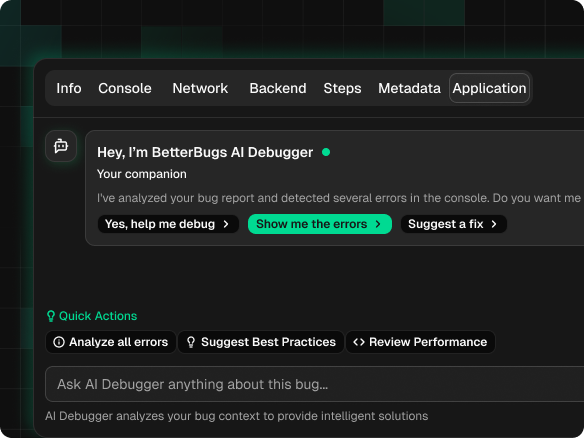
AI for adding bug details + chat style AI-Debugger
After capturing the visual proof of the bug, you can use AI to include a quick summary + step by step issue reproduction steps for it. Simply put, it automates the gruntwork — every time you capture a bug for reporting. Plus, for BetterBugs bug reports, devs can get to the debugging session right off the bat with the AI-Debugger in an interactive chat format. They get the instant RCA within seconds that includes: Errors, Reproducibility, Root Cause, Suggested Solutions, Test Cases, and Conclusion; perfect for AI-assisted debugging sessions combined with manual expertise.
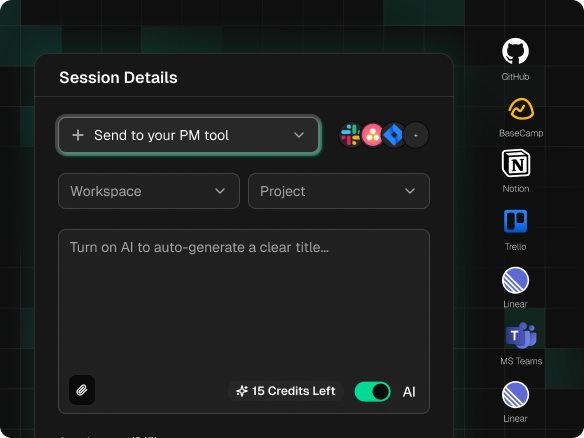
Free integrations to explore what works best for you
BetterBugs.io free version offers integration support for premium project tools, such as Jira, Linear, GitHub, Notion, and many others (up to 30 integration attempts). This enables you to explore BetterBugs.io’s core capabilities before you spend a dime for advanced features. Plus, you can integrate Slack and MS Teams with unlimited integration attempts — even in the free tier.
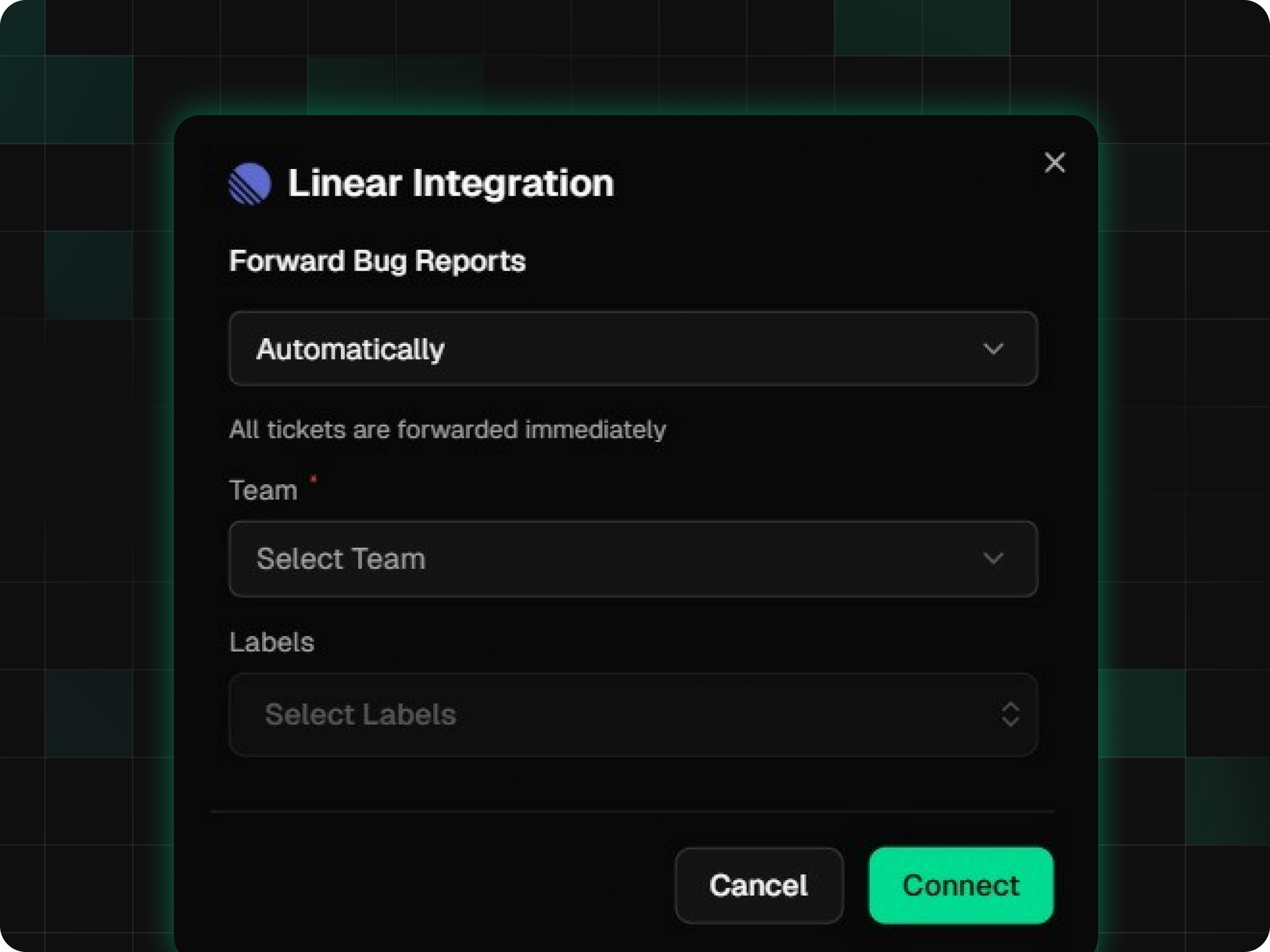
Automation workflows to create tickets in one-click
BetterBugs.io also comes with automation features. You can automate the report/session sharing action at the Workspace Level and Project Level. Using it, you can pre-configure values for the fields of your project tools. So, whenever you create a bug report, for sharing, you don’t have to populate the details manually for that connected tool. Just create and upload the report to your BetterBugs.io project, and the report will instantly be auto-shared to the integrated project tool — right from your browser. One-click, and you’re good to go. You don’t have to juggle tools or search for details about the project tool workspace to which the report has to be shared — saving you extra time, effort, and mouse and keyboard clicks.
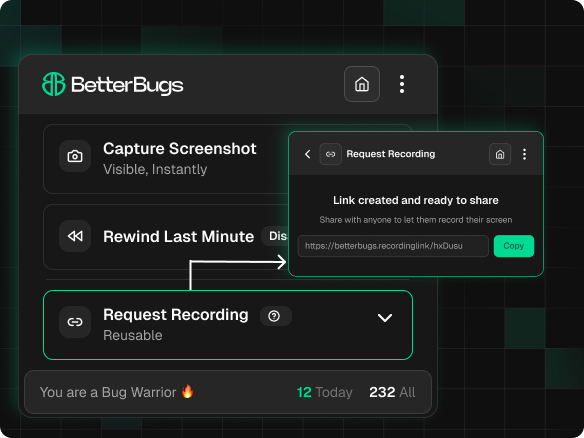
Easily shareable Recording Links for end user feedback
Recording links enables end users to capture bugs that they're facing by simply opening a URL in their browser. No downloads or setup needed for the end-users. You can quickly generate one and share via emails, support forums, or directly. Plus, you can configure recording links to capture the technical details (console logs, network requests, and env info) of user issues for you to get the complete context + info for debugging purposes.
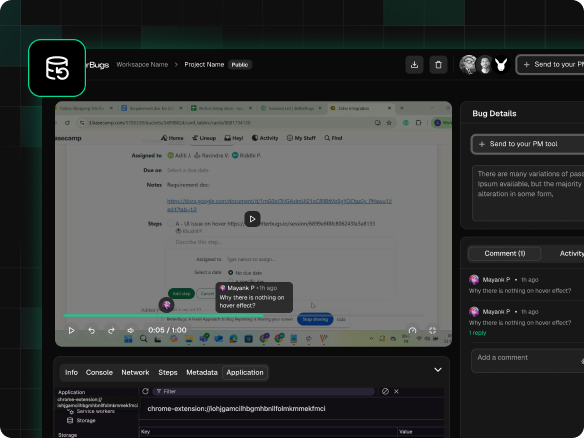
2-year data retention across all plans
BetterBugs.io comes with a 2-year data retention policy for all your reports and feedback sessions across all plans — including the free plan. So, whether you’re working on Agile projects with fast-moving sprints or Waterfall-style projects with longer development cycles, you don’t need to worry about getting locked out from accessing your reports.
Testimonials
Don’t Take Our Word For it
"BetterBugs has helped us reach new productivity levels. We have been saving massive time using it."

Dhruv Patel
CEO at Saleshandy
"Using BetterBugs has trimmed down our dependency on complex and messy ways to point out errors."

Uri Sevilla
CTO at Nevvon
"The Rewind feature is super-snappy. We can just go back, play the recording, and see what went wrong."

Nayeem Zen
Co-founder & CTO at Pluto
BetterBugs.io gets you a Better Debugging ROI
BetterBugs.io user base skyrocketed from 3000 to 10,563 in 2025. That’s 233% user growth in just 12 months. Let’s talk some more numbers:
With complete context, faster
That’s approx. 3.4 years back to the teams
Efficiency that shows up on budgets
